 Omniscape
UGC for music
Viral UGC content for music: how teams seed the sound
A label, manager or agency gets UGC for a song by seeding the sound: a steady run of good posts with the official sound, on accounts you own. A song spreads on short-form apps when lots of people post with its sound. Those posts come from real fans, and no team can fake them. Omniscape makes the seed content.
What UGC means for a song
UGC is user-generated content: posts made by people who are not the artist or the team. For music on TikTok, Instagram Reels and YouTube Shorts it usually means someone posting their own video with your song as the sound. A dance, a lip-sync, a joke, a mood clip. Each one is a create.
The number to watch is how many people use the sound, more than the views on any one post. Each create plays the song to a new audience.
Real UGC cannot be faked, and should not be
A team cannot manufacture real UGC, so its honest job is to make UGC likely: put the sound in front of people often, in a shape they want to copy.
Real UGC is made by fans and creators who chose the song. Posing as an unrelated fan to promote a song you work on can break the platforms’ rules on impersonation and the FTC’s endorsement rules, which expect a connection to the artist to be disclosed.
How a team seeds a sound
A team seeds a sound with a steady run of distinct posts on the official sound, in formats fans can copy.
Always post with the official sound
Never a re-upload or a screen recording. Every post then counts toward that one sound, and anyone who taps it lands on the track.
Give fans a format they can copy
Caption Photos, slideshows and quote clips take seconds to copy: swap the photo, change the line, keep the sound.
Volume and variety
A steady run of distinct posts beats one big push. Change the photos, the line and the format so no post repeats the last.
Label fan pages openly
Say what the account is in its bio, and never pose as the artist or an unrelated fan. See the fan pages guide.
Keep the artist informed
The artist should know which accounts exist and what they post.
Where paid creators fit
Paid creators are one disclosed push alongside your own steady posting. Some teams pay creators to post with a song, and that is normal when the creator turns on the platform’s paid partnership label. Paid posts can help start a sound, but they are not fans choosing it.
Omniscape does not find, hire, manage or pay creators. It makes the content your own accounts post.
How Omniscape makes the seed content
Omniscape makes the seed content in four steps, from one shared Media Library and Quote Vault.
Load the library once.
Photos and clips go in the Media Library, lyrics and lines in the Quote Vault. Everyone on the workspace works from the same two.
Pick a format.
A Pic to Video Render turns a photo and quote into a vertical clip. A Slideshow Render turns photos and text into a sliding video. Caption Photos and Clips fill templates with your photos or clips.
File it by account.
Put each render in the Page Folder for its account. The caption template form warns you when a caption has already gone out on that folder.
Post with the official sound.
Post it from the portal as a TikTok draft, or upload the file, then pick the official sound in the app.
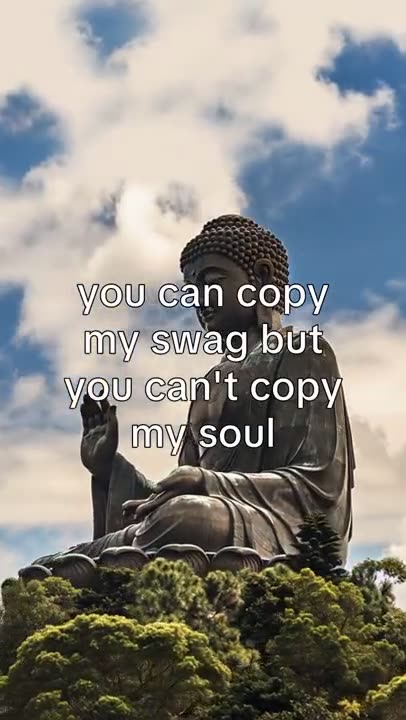

Two real renders from our demo library.
Omniscape never adds music to a render. A Slideshow Render is silent, a Caption Photo is an image, and a Caption Clip keeps only the sound of the clip you dropped in. The song goes on when you post. Pic to Video and Slideshow Renders can also be queued in a batch. The homepage shows the core flow.
What Omniscape does not do
Omniscape does not find or pay creators, and it does not count how many people use your sound. The sound’s own page in the app shows the videos made with it. On plans that include posting, someone on your team sends each finished render from the portal after a review screen.
More on the formats: fan pages, TikTok slideshows and aesthetic quote videos. Several accounts per artist? Read running multiple TikTok accounts. A roster? Read Omniscape for record labels. Plans are on the homepage.
Questions
What counts as UGC for music?
Any post by someone outside the artist’s team that uses the song, usually a video posted with its official sound. Fan edits, dances, lip-syncs, Caption Photos and Clips all count. The artist’s own posts are not UGC, and paid creator posts must be disclosed.
Can a label make its own UGC?
Not honestly. A label can make seed content and post it on the artist’s account and on fan pages that say what they are. The UGC itself comes from fans who pick up the sound.
Do we need to use the official sound?
Yes. Then every post counts toward that one sound, and anyone who taps it finds the track and the other videos made with it. A re-uploaded or screen-recorded copy becomes a separate sound and splits the count.
How many posts does it take to seed a sound?
There is no fixed number. Post as many as you can keep distinct, and keep going. A steady daily run beats a single burst, because each day puts the sound in front of people again.
Is seeding a sound allowed?
Yes, when it is done in the open. Post on accounts you own, label fan pages as fan pages, disclose paid posts with the platform’s paid partnership label, and never impersonate the artist or pose as an unrelated fan. Read each platform’s community guidelines first.
Does Omniscape post for us or pay creators?
Omniscape makes Caption Photos and Clips, slideshows and quote clips, and on plans with posting your team posts them from the portal. It does not find, hire or pay creators.
Make something in the next five minutes.
Pick a photo, pick a quote, and Omniscape renders it. Free to start, no card, no sales call. Running a label or an agency? Talk to us about a branded workspace for your team.