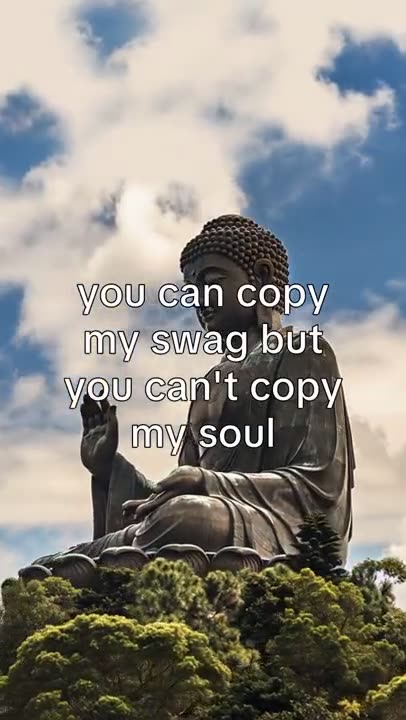
 Omniscape
Photo + quote → cinematic clip.
Turn a single photo and a quote into a short cinematic clip. The quote is burned on, and the picture moves slowly under it.
Cinematic motion · Usually about 3 minutes
White-label creative tool for artists
Turn one TikTok campaign into 50 without burning your team out. Post them straight to TikTok, Instagram and YouTube on plans with posting.
No card needed · Make your first video in minutes
01 · What’s inside
Four surfaces that work together, each already battle-tested on our own artist content.
Turn a single photo and a quote into a short cinematic clip. The quote is burned on, and the picture moves slowly under it.
Cinematic motion · Usually about 3 minutes
Drop in a quote and a stack of photos and get a polished video that crossfades from photo to photo, in your brand’s styling. Built for volume: render full batches on autopilot.
Renders in a minute or two · Batch-ready
Turn templates and your photos into captioned fan-page posts. Caption Photos render in seconds, Caption Clips in about a minute. Every render lands in All Content, and you can file it into a Page Folder for each account, so you can see what each account got.
Caption Photos in seconds · Page Folders
Generate fresh quotes from a single vibe keyword, then save the ones that land. Keep your photos and clips in your Media Bank alongside them, and sort quotes by most used to see which lines you lean on.
AI-powered · Per-tenant isolated
a / Pic to Video Render
Turn a single photo and a quote into a short cinematic clip. The quote is burned on, and the picture moves slowly under it.
“you can copy my swag but you can’t copy my soul”
Type your own, or pull one from Quote Vault.
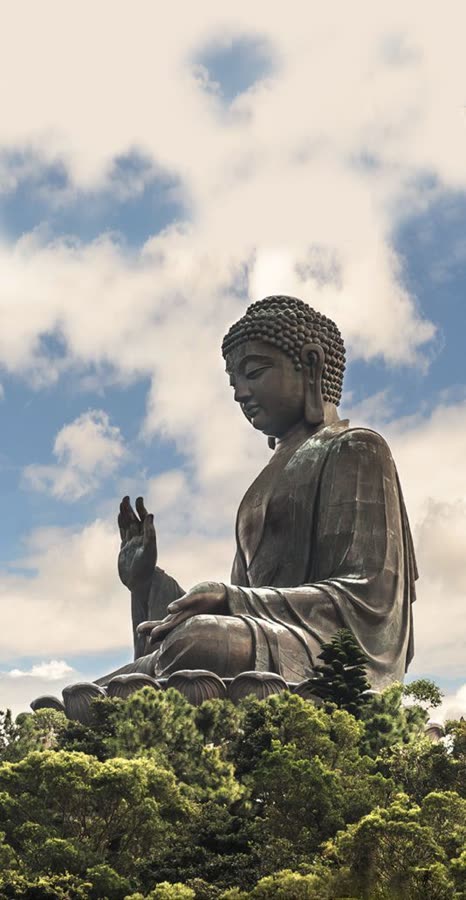
A real Pic to Video Render from the demo library. This exact quote and this exact photo produced this clip. The motion is generated fresh on every render, so two clips from the same photo play differently.
b / Slideshow Render
Drop in a quote and a stack of photos and get a polished video that crossfades from photo to photo, in your brand’s styling. Built for volume: render full batches on autopilot.
“call me abarham cus we never lincoln”
Type your own, or pull one from Quote Vault.


A real Slideshow Render from the demo library. These exact photos and this exact line produced this clip.
c / Fan Pages
Fan pages run on Caption Photos and Caption Clips. Drop in your clip or photo, pick a template, and its caption is burned on. Ready to post, and you can file it into the Page Folder for that account.
“0% Autotune, 100% Talent”
Templates carry the caption. Pick one and it’s burned onto your clip.

A real Fan Page render from the demo library. This exact template and this exact line produced this clip.
On plans with posting, send finished renders straight to TikTok, Instagram and YouTube from the portal. A review screen lists every setting before anything goes out. Videos post as Reels on Instagram, and as Shorts on YouTube when vertical and 3 minutes or less. Caption Photos go to TikTok and the Instagram feed. On a TikTok Business account, pick a track from TikTok’s licensed library. Or save it to TikTok drafts and finish it in the TikTok app with any sound, including your own song. You can also download it and upload it anywhere. The clip is built to carry it.
02 · How it works
The same steps on every plan. No timeline, no editor seat, no export settings.
Start from your media bank or a fresh upload.
Write it yourself, or auto-generate options from a single vibe keyword in Quote Vault.
Set the text size and outline, or keep the defaults. Slideshows also let you set how long each photo holds.
Post-ready video in your library. Caption Photos in seconds, Slideshow Renders and Caption Clips in a minute or two, Pic to Video Renders usually in about three.
Post straight to TikTok, Instagram and YouTube from the portal, with a review step first, on plans with posting. Or download it and add your sound anywhere.
Free to start · Upgrade any time
Create an account and you’re rendering in under a minute. No card, no call, no demo to sit through. Upgrade whenever you need more volume, cinematic Pic to Video Renders, or posting.
No card needed · Make your first video in minutes
Running a label or agency and need team seats, your own branded subdomain, or custom limits? Talk to us.
Four surfaces that work together, each already battle-tested on our own artist contentRendered with Omniscape
New research: what 7,190 creator posts taught us about TikTok music campaigns. One post in ten brought in 91.1% of the views.
03 · Agency & Custom
Your studio lives at yourbrand.omniscape.io from day one. Send us your logo and colors and we set your portal up with them. Your team sees your logo, your colors and your own subdomain. A small Powered by Omniscape line stays in the footer, and account emails come from Omniscape.
Invite your team: one admin plus members, each with their own log-in.
White-glove onboarding on Agency and Custom: we set up your subdomain, your brand and your seats with you.
From the team
If you’re a music label or creator agency running TikTok campaigns at any scale, we built this for you.
Talk to usThe Omniscape team
04 · Pricing
Five plans, one workflow. Free and Starter cover template video and fan pages; Studio unlocks cinematic Pic to Video Render; Agency and Custom put your whole team on your own branded subdomain.
$0
No card needed
Keep making watermarked content.
$30 /mo
1 log-in
100 creates a month, any mix, no watermark.
Featured
$250 /mo
3 log-ins
Unlocks Pic to Video Render: cinematic AI video from a single photo.
$1,000 /mo
5 log-ins
Your whole team, on your own branded subdomain.
Talk to us
Custom log-ins
Negotiated volume, white-label domain, SSO and support terms.
Starter’s 100 creates are one shared pool for any mix. On Studio and Agency, Caption Photos count toward Fan Page Renders and Caption Clips count toward Slideshow Renders.
Extra accounts: $10/month each.
Free, Starter and Studio are self-serve. Upgrade in-app. Agency and Custom are sales-led.
Free to start
Pick a photo, pick a quote, and Omniscape renders it. Free to start, no card, no sales call. You’ll see what the tool does before you decide anything.
No card needed · Make your first video in minutes